|  | |
The aim of the game was to create a little Website image gallery generator by using the ImageMagick suite.
In the course of time the program grew more and more with features which seemed useful to me.
The result is a image processor, animator, corrector, manipulator, batch processor, gallery generator and much more.

Last but not least it is a show case of what can we do with ImageMagick, FFmpeg and others.
Additional used programs are WEBP, aPNG, pngcheck, Trimage, jp2a, nomacs, NcFTP, LFTP,
DCRAW, libvips, ZBar-Tools, tesseract-ocr, Poppler, YAD, KColorChooser, Viewnior
Tk has an Motif like GUI Style and in modern times it looks ugly. So, i tried everything to make it look better and more modern.
GraphicMaiJi has its own menus, dialog boxes and fileselector boxes to avoid anger with multi-monitor systems and for looking and handling better.
GraphicMaiJi is the extended and new version of ptkGalleMaker. The Maiji-Shan is a well known mountain in China.
Special thanks to Anthony Thyssen for the ImageMagick Web pages,
Fred Weinhaus for numerous examples & scripts and all other open source developers.
GraphicMaiJi is a no-frills, solid workhorse for working with tons of pictures every day.
Jörg Döhring 
Features |
|
| Simple and intuitive GUI. |
| In image processing, see live what happens. |
| Multi-Monitor ready, all dialog boxes open within the main window. |
Supports reading 100+ file formats, Formats List.
Single Image Viewer for still and animated images, scale up/down, rotate, move.
Multiple Images Viewer, change by mouse wheel (not all supported file formats), rotate, move.
Gallery Generator with embedded Styles, Arrows(internally/external), Lightboxes, Frames, Windows, CSS Effects.
Image Manipulator with 80+ manipulation possibilities for the image presentation.
Image Animator with 25+ animation possibilities for the image presentation in GIF or WEBP Quality.
Background Image Generator for solid, gradient, linear, radial or plasma effect colors with or without transparency.
Rudimentary file functions (single/multiple) such as copy, create, delete, duplicate, move, permissions, rename, files rename with mask.
Batch Processing of most functions with arbitrary number of files.
HTML Image Maps, Images Collages, Contactsheets, Filmstripes with several Effects.
Animation with sets of images or with a single image, several effects.
Screenshots - Fullscreen, Screenarea, Window.
Video Screen Recording, Screen Casting - Fullscreen, Screenarea.
Convert Videos, animated Gif's or animated Webp's to images.
Convert images to video.
Convert animated Gif or animated Webp to video mp4 for e.g. Facebook.
Convert video formats to different video formats or animated GIF / APNG / WEBP.
Convert animated GIF to animated PNG or animated PNG to animated GIF (automatic animation detection).
Convert animated GIF to animated WEBP or animated WEBP to animated GIF (automatic animation detection).
Convert PDF to Images, Images to PDF, extract images from PDF or Text, merge PDFs to PDF, convert PDF to Video.
Stereo 3d images, JPS, MPO, Anaglyph 3D, read and write.
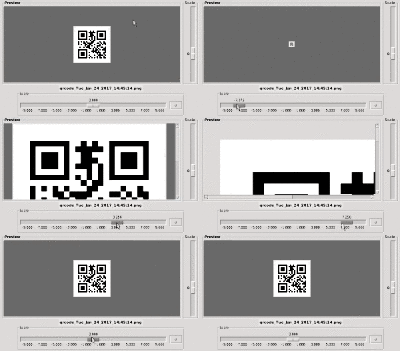
QR Code Generator, Reader.
Encryption/Decryption of Text with an image as key.
OCR Optical Character Recognition.
Image to colored ASCII HTML Art Conversion.
Search for files in the current directory or in HOME '/home/user' and system wide via the (m)locate database.
Mini FTP, Mini Calculator (dec./hex. View).
Monitoring filesystem events for images in the current directory.
Memory consumption control.
Multiple instances allowed.
Depends on Perl >= 5.10 and Perl/Tk, recommended Perl 5.34, optional webp >= 0.6.
Perlcritic -3 inspected.
Freeware, Open-source.
Changelog
22. Jan. 2017 - Added .. Aspect Ratio On/Off to Resize on Single Manipulation, Batch Processing and animated GIF's Resize.
03. Feb. 2017 - Added .. Liquid Rescale (Seam Carving) and Reduce Colors to Batch Processing.
18. Feb. 2017 - Added .. ttf-ancient-fonts for all Symbol Blocks in the Unicode Standard to the Installer.
25. Feb. 2017 - Added .. Dragan-Effect, Effect-Menu left/right Switch, Window-Decoration-Offset adjustable, minor Bugfixes.
28. Feb. 2017 - Added .. Workplace Original/Preview Image-View Size independent adjustable, GUI-Cosmetic.
14. Mar. 2017 - Added .. Shutter, Recursion and Mosaic Shuffle to Animation, minor Bugfixes.
20. Mar. 2017 - Added .. Convert animated GIF to video mp4 via File Menu.
16. Jul. 2017 - Added .. Button for Preview/Thumbs on/off. Change DirectoryTree selection from single-click to double-click.
16. Jul. 2017 - Added .. External PreviewMaker for acceleration of the preview/thumbs generation, switchable on/off.
20. Jul. 2017 - Added .. Acceleration of RAW format image preview/thumbs generation with DCRAW, some additional shortcuts.
25. Jul. 2017 - Added .. Pixelize an selected image area (rectangle, ellipse) under the menu point Crop.
29. Jul. 2017 - Added .. 3D Rotation (Pan, Tilt, Roll) to single image Animation.
03. Aug. 2017 - Added .. 3D Rotation (Pan, Tilt) to multiple image Animation. Auto Resize to max. Width & Height to Batch Processing.
03. Aug. 2017 - Added .. Collage → 4 font colors to adjustable font color. Collage, Gallery → adjustable background color → CSS Lightbox.
09. Aug. 2017 - Added .. Modulo File Selection
21. Oct. 2017 - Added .. Support for the pg3Browser as a replacement for the UZBL Browser. See Notes
30. Oct. 2017 - Added .. Adaption to Perl 5.26 and ImageMagick 6.9.7.4, changing temporary files from *.mpc to *.miff.
10. Jan. 2018 - Added .. Support for the Google *.webp image format.
01. Apr. 2018 - Added .. Warping, Cartoon Effect, Water Colors, Background Roll Animation.
04. Apr. 2018 - Added .. Shadow Text, Workplace Original Image-View on/off switchable, Minor Changes, Logbook and Calendar removed.
05. Apr. 2018 - New Name .. GraphicMaiJi instead of ptkGalleMaker.
05. May. 2018 - Added .. Improvements for the acceleration of the preview/thumbs generation.
21. Dec. 2018 - Added .. New image generation for Background's.
22. Dec. 2018 - Added .. Remove Color Tinge
01. Jan. 2019 - Added .. Self Framing, Torn Paper Edges, Shredded Border, Blurred Edges, Polaroid Effect to Image Processing.
02. Jan. 2019 - Rework . Self Framing, Torn Paper Edges, Shredded Border, Blurred Edges, Polaroid Effect, Remove Color Tinge in Batch Processing.
03. Jan. 2019 - Remove . SYS::MemInfo and replaced it with its own function, reworked the installer.
04. Jan. 2019 - Rework . Crop to Crop and Cut.
05. Jan. 2019 - Added .. Wabble and Water Reflection to single image Animation.
06. Jan. 2019 - Added .. Color value view, removed the clock, minor Improvements.
12. Jan. 2019 - Rework . Single and Multiple Image Viewer, minor Improvements.
13. Jan. 2019 - Rework . Memory consumption Improvements.
15. Jan. 2019 - Added .. Around Shadow, minor Bugfixes.
19. Jan. 2019 - Added .. Reverse the Animation of an animated GIF, set a still Background Image to an animated GIF, minor Improvements.
20. Jan. 2019 - Added .. Left & Right Tilt, reworked Distortion Perspective.
27. Jan. 2019 - Added .. Appending animated Images, minor Improvements.
17. Feb. 2019 - Added .. Animation APNG, Viewer, convert animated GIF to aPNG and vice versa or to Video mp4.
17. Feb. 2019 - Added .. Animation WEBP, Viewer, convert animated GIF to WEBP and vice versa or to Video mp4, extract Images,
most of the GraphicMaiJi Animation Effects are working with WEBP Quality Input / Output.
18. Feb. 2019 - Added .. Animated WEBP Support for Collages and Web Gallery Generation.
18. Feb. 2019 - Rework . Previewer Improvements, removed libav-tools Support.
22. Feb. 2019 - Added .. 3D Rotate to Batch Processing.
23. Feb. 2019 - Added .. Still Foreground or Background Image to animated GIF or WEBP Image.
25. Feb. 2019 - Added .. Merging 2 animated GIF or WEBP Images.
13. Oct. 2019 - Rework . Memory Info since Ubuntu 19.10.
28. Dec. 2021 - Added .. Background Bash Script for the new XCF File Format from GIMP to generate xcf thumbnails,
works if GIMP installed otherwise the thumbnails are broken images.
Thumbnails only, GraphicMaiji can't work with the new xcf format.
05. Apr. 2022 - Rework . Video Improvements
05. Apr. 2022 - Added .. Preview PDFs, PDF Pages → Text, PDF Pages → Images, extract insided PDF images → Images, PDF → Video,
Images → PDF, merge PDFs → PDF. See Notes
09. Oct. 2022 - Rework . Viewer Improvements, faster Image load, show anim. GIFs with animate and RAW Format Images with nomacs.
20. Oct. 2022 - Rework . Previewer, Thumbnail Improvements, faster Thumbnail generation using libvips-tools and poppler-utils.
01. Nov. 2022 - Rework . Previewer, Thumbnail and Viewer Improvements.
06. Nov. 2022 - Rework . GUI - Main-Window Improvements.
26. Feb. 2023 - Rework . FTP, FTP-GUI - Improvements. Added: System wide Color-Picker, File-Printing. Using YAD for some Dialog Boxes.
02. Mar. 2023 - Added .. Wavelet-Denoise- and Noise-Smoothing-Filter. Some Improvements, Main GUI, Blur- and Kuwahara-Filter, Tk::XPMs removed.
21. Mar. 2023 - Rework . Video Screen Recording, Screen Casting.
25. Mar. 2023 - Rework . Remove UZBL-Browser Bindings. 2 Perl packages updated.
29. Mar. 2023 - Rework . FTP - Improvements. Recursive directory delete and permission settings. Delete and chmod files faster than before.
28. Oct. 2026 - Rework . Removed XCF Preview because it doesn't work with Gimp 3.xx. Removed the HTML Editor,
HTML files can be edited using the XDG default editor.
28. Oct. 2026 - Rework . All sliders, also known as `Tk::Scale` widgets, have been changed to use integer values,
as issues have arisen since Perl 5.38+ and Tk when using floating-point numbers that employ a comma instead of a decimal point.
28. Oct. 2026 - Rework . All Tk::ChooseColor widgets have been replaced by the YAD color picker, as the former no longer functions with Perl 5.40+ and Tk.
28. Oct. 2026 - Rework . The screen-wide color picker has been replaced by KColorchooser. Viewnior has been added as a small and fast image viewer.
Installation
The Easy Debian Package Way for all Debian based distributions like Debian, Ubuntu, Mint, Raspberry Pi OS etc.
Download the install_graphicmaiji_1.00.zip* file.
Unpack the .zip file.
Open a console and change to the install_graphicmaiji_1.00* directory. → cd install_graphicmaiji_1.00 ↵
Read the instructions of the 00_Readme_First.txt file and follow them. → less 00* ↵
On Debian/Linux become root with su
and type:
bash ./01install_deb_graphicmaiji.bash
or on Ubuntu/Mint, Raspberry Pi OS etc.
type:
sudo bash ./01install_deb_graphicmaiji.bash
Important: Type 'bash' and not 'sh', because 'sh' is 'dash' on Debian. Dash is a subset of Bash.
That's it.
Now, start the Graphic Program with 'graphicmaiji' or under the menu section Graphics.
At the first time it takes a while for creating the preview thumbnails from the current directory.
On next time it would be faster while loading the preview thumbnails from the cache directory.
To accelerate the preview thumbnails generation, switch on the external Previewmaker. Menu: Config → Settings → Special
* Depending on the version number.
Update if GraphicMaiJi already installed.
After unpacking and changing into the install_graphicmaiji* directory,
do the following with root privileges:
dpkg -i graphicmaiji*all.deb ↵
That's it.
Now, start the Graphic Program with 'graphicmaiji' or under the menu section Graphics.
Note:
For viewing and testing images, animations and galleries, I recommend my small web browser, pg3browser,
which is perfectly adequate for these tasks see Notes.
The Hard Way for all other linux/unix distributions.
Install the following Distribution Packages in this Order if it is not there.
Install ttf-bitstream-vera ... this is the default font for graphicmaiji
Install ttf-ancient-fonts ... for all Symbol Blocks in the Unicode Standard
Install inotify-tools
Install libvips-tools
Install poppler-utils
Install yad
Install kcolorchooser
Install lftp
Install ncftp
Install dcraw
Install webp
Install pngcheck
Install apng2gif
Install gif2apng
Install nomacs
Install imagemagick
Install libimage-magick-perl
Install libmodern-perl-perl
Install libutf8-all-perl
Install libipc-system-simple-perl
Install libimage-base-bundle-perl
Install libimage-metadata-jpeg-perl
Install libimage-size-perl
Install libimage-exiftool-perl
Install libimager-perl
Install libimager-qrcode-perl
Install libfile-homedir-perl
Install libfile-chdir-perl
Install libfile-chmod-perl
Install libfile-mimeinfo-perl
Install libfile-which-perl
Install libtext-wrapi18n-perl
Install liblist-compare-perl
Install libfile-dirlist-perl
Install perl-tk
Install libtk-gbarr-perl
Install libtk-tablematrix-perl
If one or more of the Perl Packages not present in your distribution,
open a console, become root with su or type with sudo and install via CPAN.
Install with cpan -i or cpanm if there or via the Perl shell like this:
perl -MCPAN -e shell ↵
Inside the perl shell type .. for the missing Perl Modules.
install xyz::abc ↵
......
quit ↵
To get all optionally Features of GraphicMaiJi install the next Packages.
Install trimage
Install zbar-tools
Install jp2a
Install tesseract-ocr
Install ffmpeg
Install viewnior
Copy the downloaded file after unpacking 'graphicmaiji' to /usr/local/bin. → cp graphicmaiji /usr/local/bin ↵
and → chmod 0755 /usr/local/bin/graphicmaiji ↵
Or copy to /usr/local/sbin or /usr/bin
Do the same with 'graphicmaijipreviewmaker'.
If you want icons for the desktop or menu, copy graphicmaiji.xpm, graphicmaiji.png to /usr/share/pixmaps if there.
→ cp graphicmaiji.xpm /usr/share/pixmaps && cp graphicmaiji.png /usr/share/pixmaps ↵
If you want a menu entry, copy graphicmaiji.desktop to /usr/share/applications if there.
→ cp graphicmaiji.desktop /usr/share/applications ↵
That's it.
Now, start the Graphic Program with 'graphicmaiji'
Note:
For viewing and testing images, animations and galleries, you can install the pg3Browser Browser.
After installing pg3browser and starting 'graphicmaiji' open the Settings (Alt F1),
select 'Viewer & Programs' and set under 'Web Browser:' pg3browser, close Settings.
Or you can use the WebKitGTK Buildin Mini Browser, replace Firefox with ' /usr/lib/x86_64-linux-gnu/webkit2gtk-4.1/MiniBrowser '
or ' /usr/lib/x86_64-linux-gnu/webkit2gtk-6.0/MiniBrowser ' or any other Browser of your choise.
The Harder Way if one or more of the Perl Packages not present in your distribution.
Open a console, become root with su or type with sudo and install via CPAN.
Install with cpan -i or cpanm if there or via the Perl shell like this:
perl -MCPAN -e shell ↵
Inside the perl shell type .. for the missing Perl Modules.
install Modern::Perl ↵
install utf8::all ↵
install IPC::System::Simple ↵
install File::DirList ↵
install File::HomeDir ↵
install File::chdir ↵
install File::Copy ↵
install File::chmod ↵
install File::Path ↵
install File::MimeInfo ↵
install File::Which ↵
install List::Compare ↵
install Text::Wrap ↵
install MIME::Base64 ↵
install Image::Magick ↵
install Image::Size ↵
install Imager::QRCode ↵
install Image::MetaData::JPEG ↵
install Image::MetaData::JPEG::Record ↵
install Image::MetaData::JPEG::data::Tables ↵
install Cwd ↵
install Tk ↵
install Tk::TableMatrix ↵
install Tk::ProgressBar ↵
install Tk::NumEntry ↵
install Tk::Pane ↵
install Tk::Photo ↵
install Tk::PNG ↵
install Tk::JPEG ↵
quit ↵
Copy the downloaded file after unpacking 'graphicmaiji' to /usr/local/bin. → cp graphicmaiji /usr/local/bin ↵
and → chmod 0755 /usr/local/bin/graphicmaiji ↵
Or copy to /usr/local/sbin or /usr/bin
Do the same with 'graphicmaijipreviewmaker'.
If you want icons for the desktop or menu, copy graphicmaiji.xpm, graphicmaiji.png to /usr/share/pixmaps if there.
→ cp graphicmaiji.xpm /usr/share/pixmaps && cp graphicmaiji.png /usr/share/pixmaps ↵
If you want a menu entry, copy graphicmaiji.desktop to /usr/share/applications if there.
→ cp graphicmaiji.desktop /usr/share/applications ↵
That's it.
Now, start the Graphic Program with 'graphicmaiji'
Download
ImageMagick Configuration
GraphicMaiJi uses ImageMagick 6 or ImageMagick 7 (not perfekt yet).
If PDF doesn't work in GraphicMaiJi and ImageMagick 6, disable the following lines in '/etc/ImageMagick-6/policy.xml' like this:
<!-- disable ghostscript format types -->
<!-- <policy domain="coder" rights="none" pattern="PS" /> -->
<!-- <policy domain="coder" rights="none" pattern="PS2" /> -->
<!-- <policy domain="coder" rights="none" pattern="PS3" /> -->
<!-- <policy domain="coder" rights="none" pattern="EPS" /> -->
<!-- <policy domain="coder" rights="none" pattern="PDF" /> -->
<!-- <policy domain="coder" rights="none" pattern="XPS" /> -->
|


